
ScoringWorld Blog
Welcome to the ScoringWorld Blog! Here you’ll find news from our recent creations, tools that may inspire you and scoring tips!
Creating a custom notation tool is a big endeavour, full of creativity and imagination. We want to share part of that fascinating process with you.
-
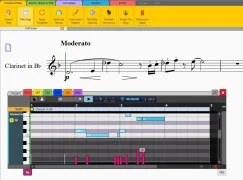 From a 20-step proofing routine to one toolbar
A custom Sibelius toolbar for a Berlin music publisher: how 20 proofing steps became one organized Power Bar. What would yours include?
-
 New MIDI Transfer Tool: Drag & Drop Between Sibelius and Your DAW
Integrate Sibelius and your DAW with a simple drag-and-drop workflow. The new MIDI Transfer Tool makes composing, orchestrating, and producing more seamless.
-
 Graphical MIDI Tools 2026.08: Track Icons and More
The latest update to Graphical MIDI Tools (GMT) is now available. Version 2026.08 introduces a new feature designed to make working with large Sibelius scores more visual and intuitive: track icons.
-
 New in the Graphical Harp Tool: Chord Glissandos
The latest update introduces chord glissandos, allowing you to write and play back harp glissandos across entire chords in Sibelius.
-
 How James and Eliot Integrated Sibelius with Their DAWs
When two UK composers needed a faster way to move between Sibelius and their DAW, ScoringWorld built them a tool for it. Here's how the MIDI Transfer Tool moves notes out to a DAW project and MIDI regions back into the score.
-
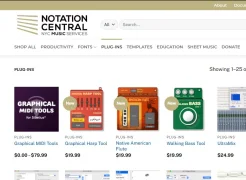 Custom Tools now On Notation Central
A selection of our Custom Tools is now available on Notation Central, bringing custom-built notation solutions to a wider audience.
-
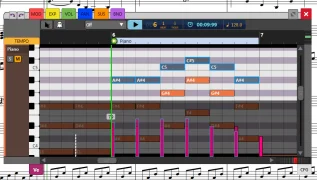 Graphical MIDI Tools May 2026 Update is Now available!
In this important update, we introduce new features: full staff editing and per note velocity.
-
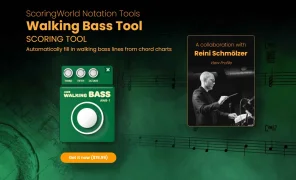 Jazz composers and arrangers: a new tool is here
Created in collaborator with Reini Schmölzer, this tool generates walking bass lines from your chords. Perfect for faster and better sounding demos.
-
 Sibelius Tip: Combining Sound Libraries
Extend Sibelius sound libraries by creating a custom configuration that integrates external virtual instruments.